CS2 Trust Factor Explained: How to Fix Red Trust & Get Better Matches

We have all been there. You queue up for a Premier match, ready to grind Elo, only to be thrown into a lobby that feels like a prison riot. Teammates are screaming, the enemy top fragger is spinning like a helicopter, and the "Abandon" button looks increasingly tempting.
Why does this happen to you? The answer likely lies in the shadows of Valve’s matchmaking system: The Trust Factor.
It is the invisible credit score of your Counter-Strike career. It decides whether you play with serious, communicative teammates or get cast into the shadow realm of "Red Trust."In this guide, we are decoding the mystery. We’ll cover what Trust Factor actually is, how to "check" your score, and most importantly how to farm it back to Green so you can actually enjoy the game again.
What Exactly is Trust Factor?
Think of Trust Factor as your "Good Citizen Score" within the Valve ecosystem.
Originally introduced in CS:GO and subtly reintegrated into Counter-Strike 2 around the June 12 update, this system evaluates your behavior and integrity. It is not just about whether you cheat; it is about whether you are a positive member of the community.
- High Trust (Green): You are matched with other legitimate, non-toxic players.
- Low Trust (Red): You are quarantined with other reported players, griefers, and potential cheaters.
The Golden Rule: Valve wants to group players with similar Trust scores. If you are constantly meeting cheaters, the system likely thinks you belong there (even if it's a mistake).
The Secret Formula: How It Is Calculated
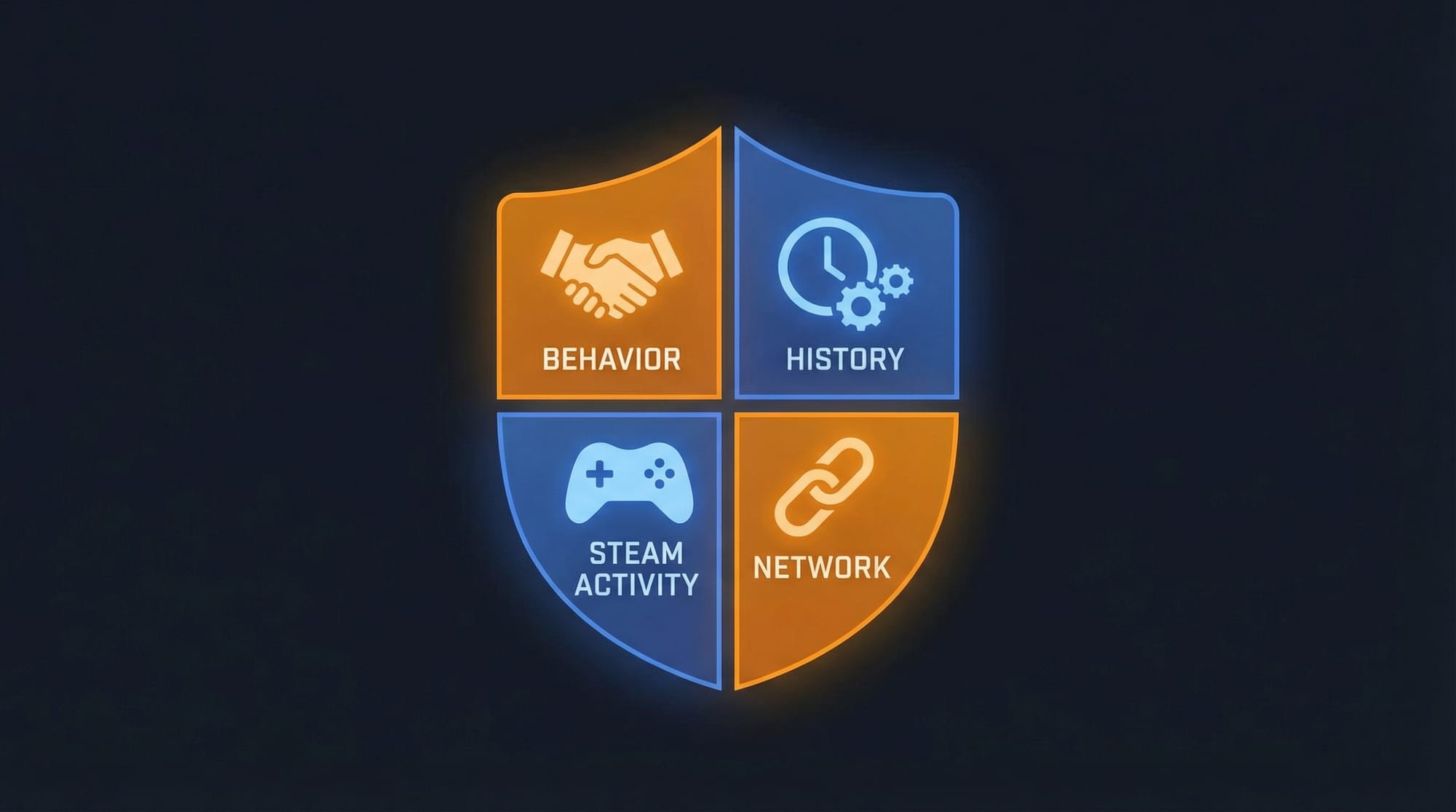
Valve intentionally keeps the exact algorithm a black box to prevent bad actors from gaming the system. However, based on years of community data and Valve’s rare comments, we know the key pillars that impact your score.
- Behavioral Patterns: This is the big one. Getting reported for "Abusive Communications" or "Griefing," kicking too many teammates, or dealing excessive team damage will tank your score.
- Account History: New accounts are inherently less trustworthy than 10-year-old accounts. A VAC ban on any game (even unrelated to CS) is a massive red flag.
- Steam Activity: Are you a real person? Real people play other games, have a set-up profile, and participate in the community. "Smurf" accounts that only own CS2 are often flagged as low trust.
- Guilty by Association: If you frequently queue with a friend who gets VAC banned or has a terrible Trust Factor, your score will drag down to match theirs.
The "Lobby Test": How to Check Your Trust Factor
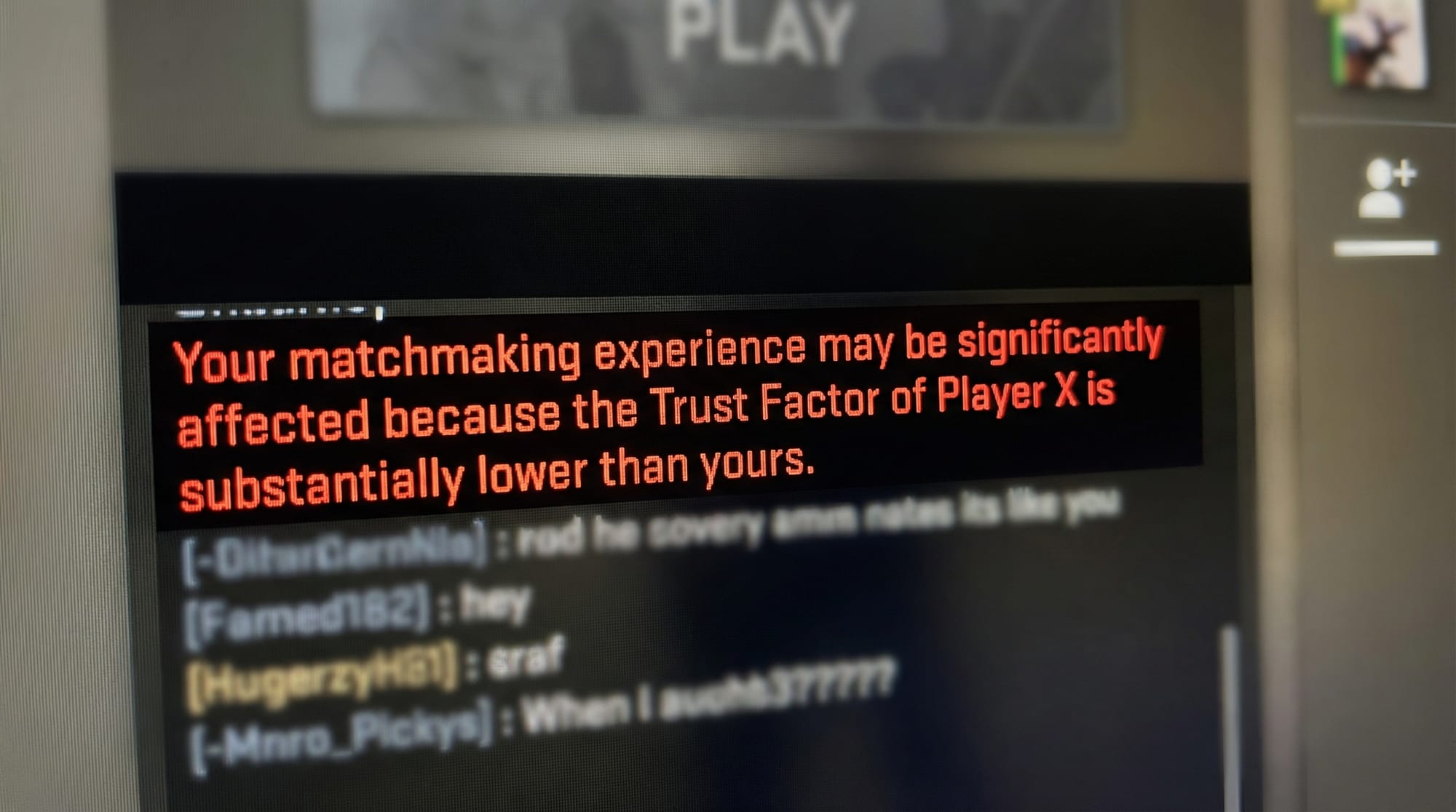
Valve does not give you a number. There is no progress bar. However, the community has found a reliable way to gauge where you stand: The Lobby Test.
How to do it:
- Find a friend who you know has a perfect (Green) Trust Factor.
- Join a lobby with them.
- Have them start the queue for a Competitive match.
Analyze the Warning Message:
If your Trust Factor is significantly lower than theirs, they will receive a warning message in the chat box or lobby screen.
| Warning Color | Meaning | Matchmaking Quality |
| No Warning | 🟢 Green Trust | Clean matches. Good comms. |
| Yellow Warning | 🟡 Yellow Trust | Occasional toxicity. 50/50 chance of weird plays. |
| Red Warning | 🔴 Red Trust | Spin-bots, griefers, and absolute chaos. |
5 Proven Ways to Improve Your Trust Factor
Stuck in Red or Yellow? It’s not a life sentence. Here is how to grind your reputation back up.
1. Be a Model Citizen (Seriously)
This sounds obvious, but it is the fastest fix. Do not shoot teammates. Do not leave matches early. Do not scream slurs in voice chat. If you feel yourself tilting, unbind your "Push to Talk" key.
- Action: Ask friendly teammates to "Commend" you in-game (Leaderboard -> Click Name -> Commend). While the impact is debated, it certainly doesn't hurt.
2. Enable Steam Guard Mobile Authenticator
Valve trusts players who secure their accounts. A Prime account with 2FA (Two-Factor Authentication) enabled via the Steam Mobile App is much more "trustworthy" than an unsecured one.
3. Diversify Your Steam Profile
Cheaters often buy "botted" accounts that have 0 hours in other games.
- Action: Play other games in your library. Leave a review on a game. Level up your Steam profile by crafting a badge. Look like a human, not a bot.
4. Kick the Cheater Friend
If you have a friend who "toggle" sometimes, stop queuing with them immediately. Their reports are your reports.
5. Email Valve (The "Hail Mary")
If you genuinely believe your low Trust Factor is a system error (and you have been 100% clean), you can email Valve directly.
- Email:
CS2TeamFeedback@valvesoftware.com - Subject: "Trust Factor Feedback"
- Body: Briefly explain your situation and include your Steam ID. Do not spam them.
Summary: The Trust Factor Cycle
Maintaining a high Trust Factor is easier than fixing a broken one. Treat your account like a valuable asset, and the matchmaking gods will reward you with games that are actually worth playing.